Introducing the Pocketsflow startup program: Win $100K if you are a startupWin $100K if you are a startup

The payment infrastructure that you deserve.

Use Pocketsflow to accept payments for your SaaS, mobile apps, Mac apps, and digital products: subscriptions and one time purchases on one programmable platform built for you.

No monthly fee · 4.7% + $0.30 estimated per sale

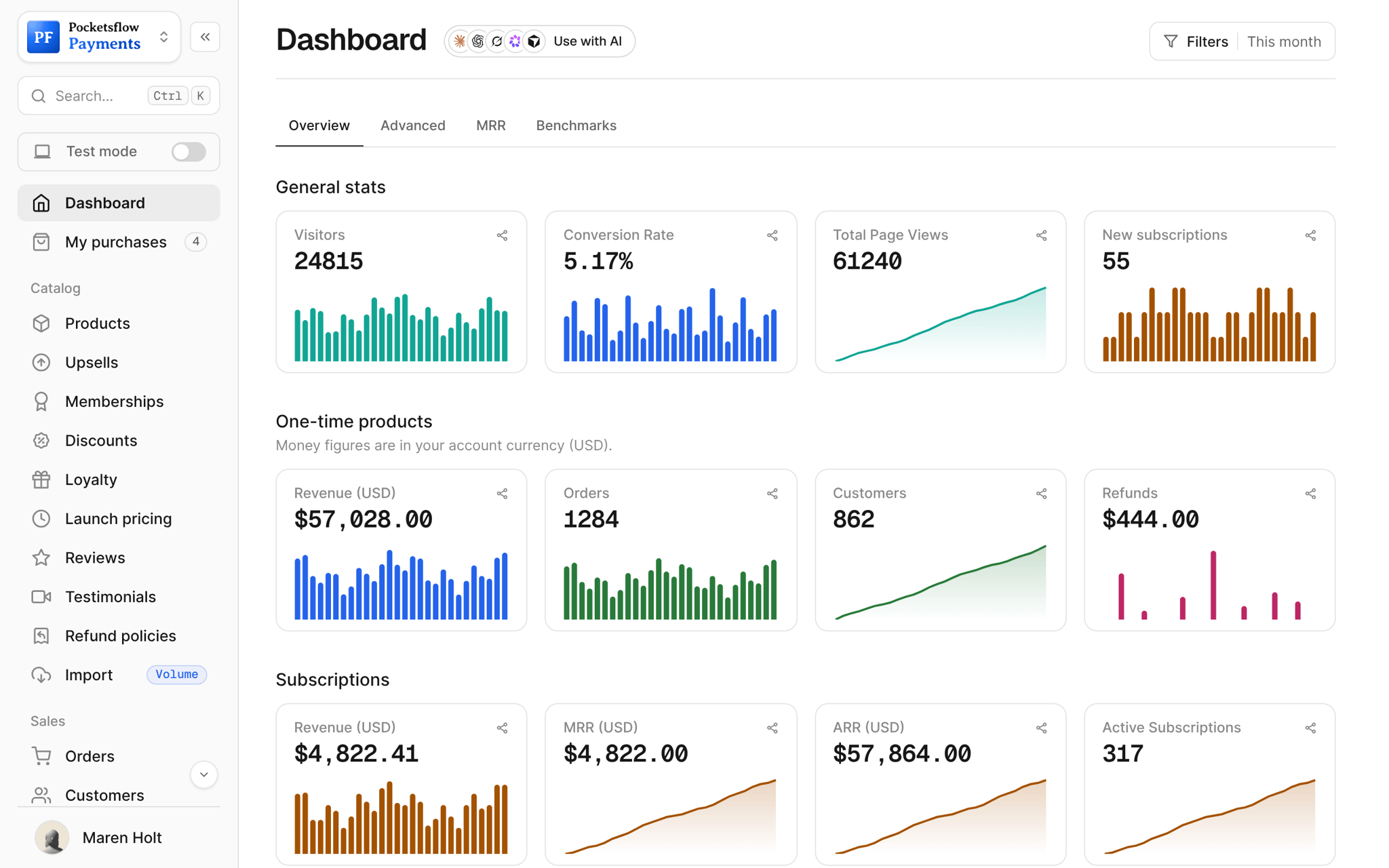
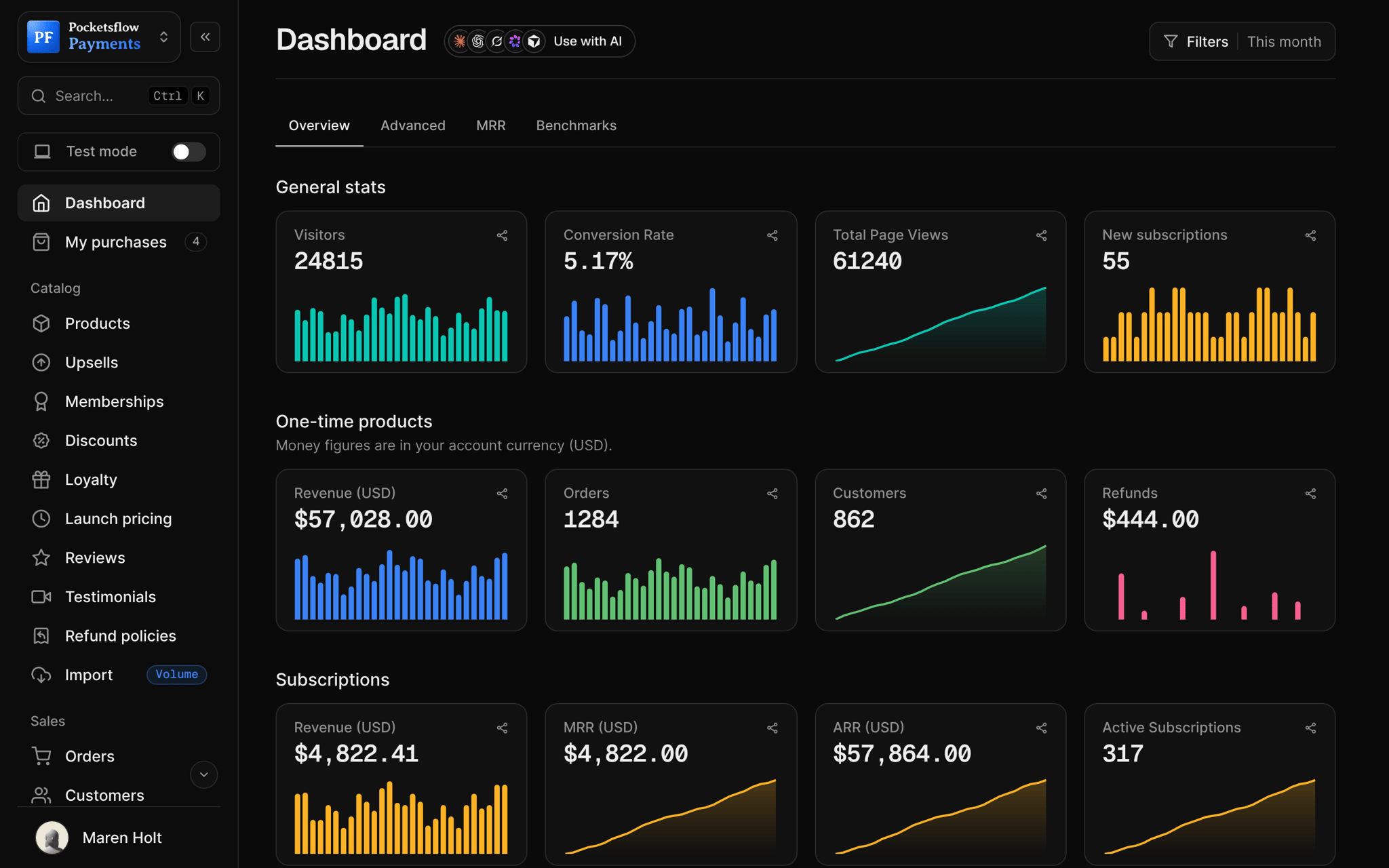
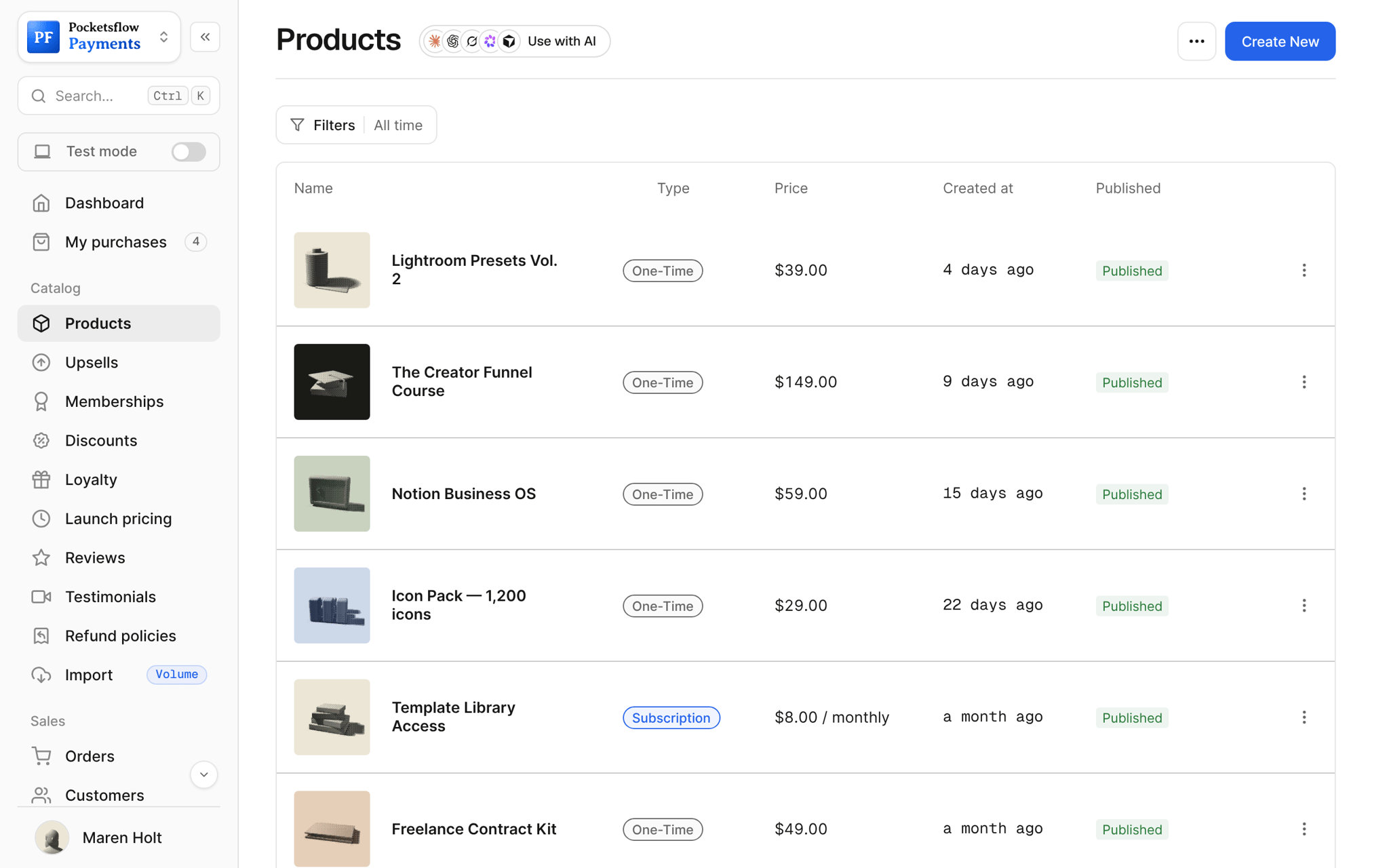
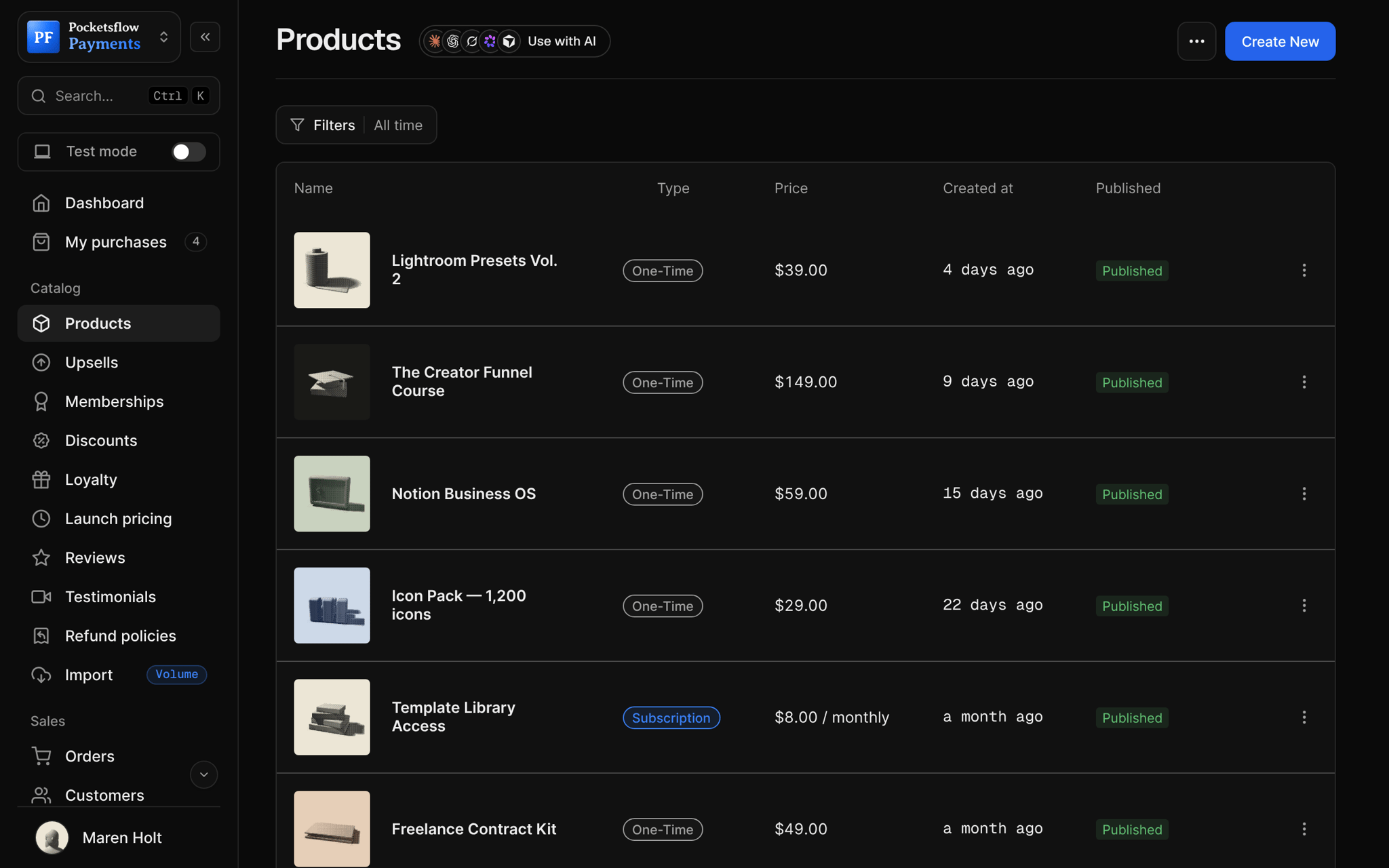
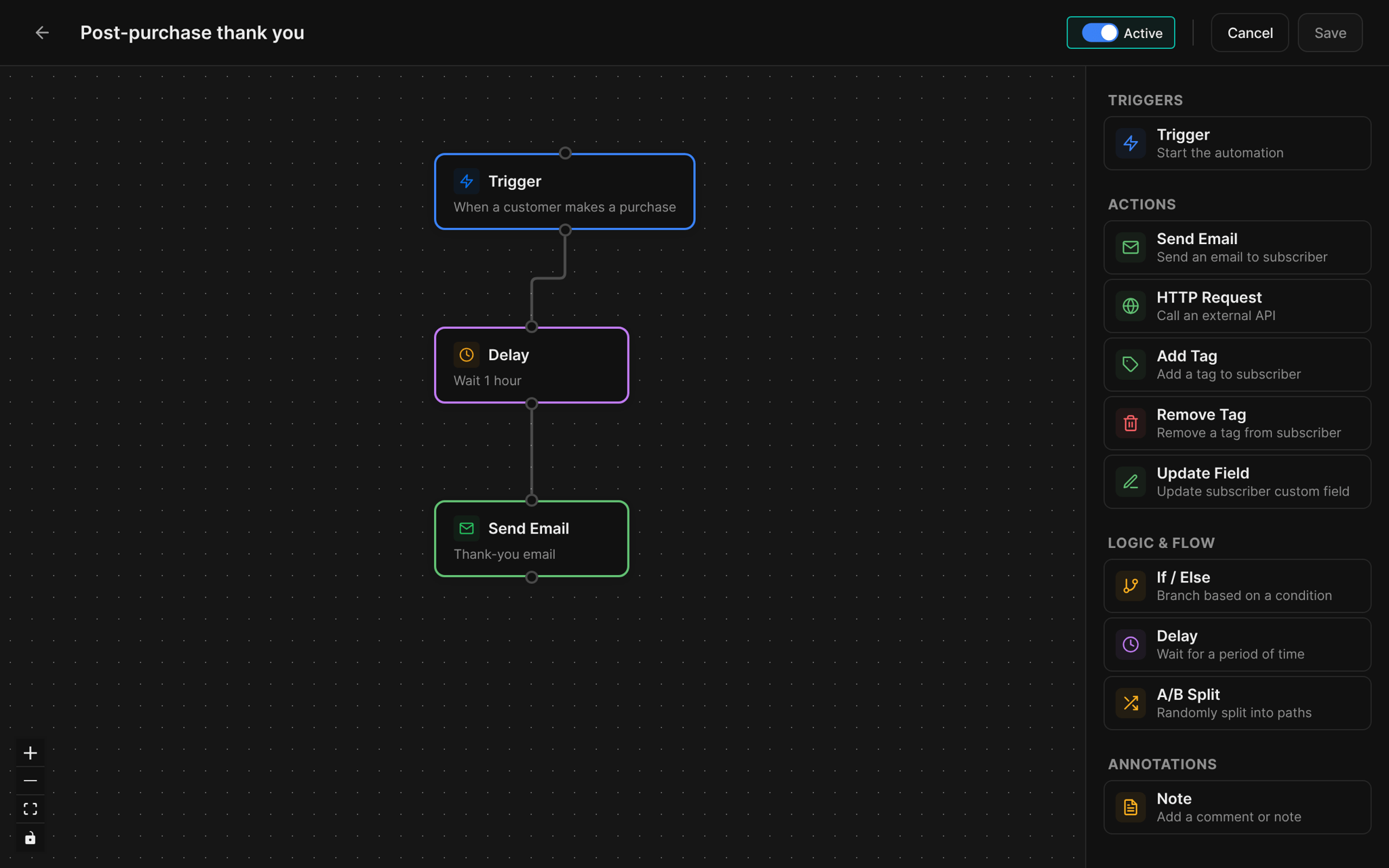
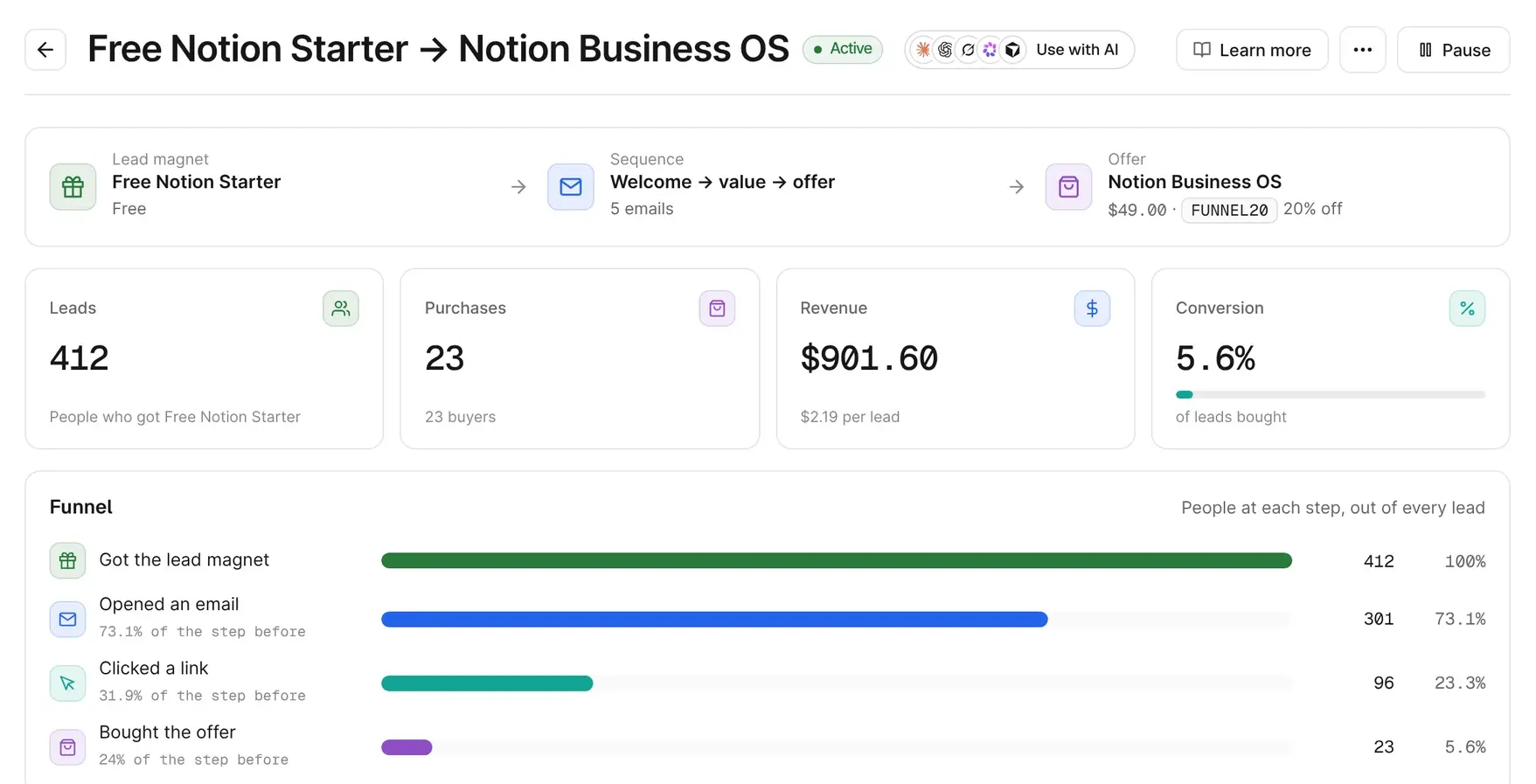
Pocketsflow dashboard: general stats, one time product revenue, and subscription MRR, ARR, and active subscriptions.

Made for you and your agents.

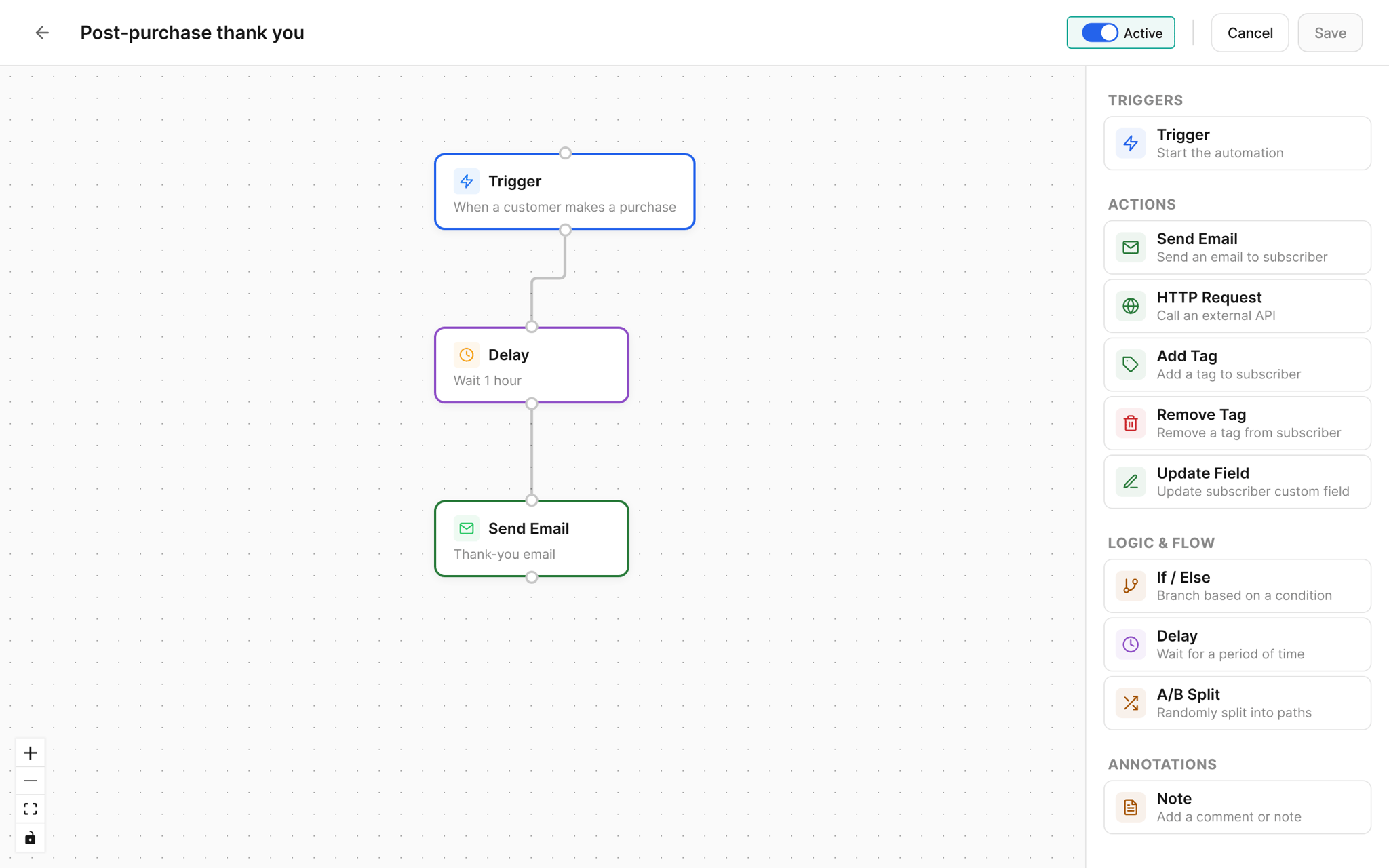
Pocketsflow is payment infrastructure built from the ground up to be operated by AI. An agent can create a product, open a checkout, issue a refund, and send the launch email, so the whole business can run end to end, and every change shows up in your dashboard.

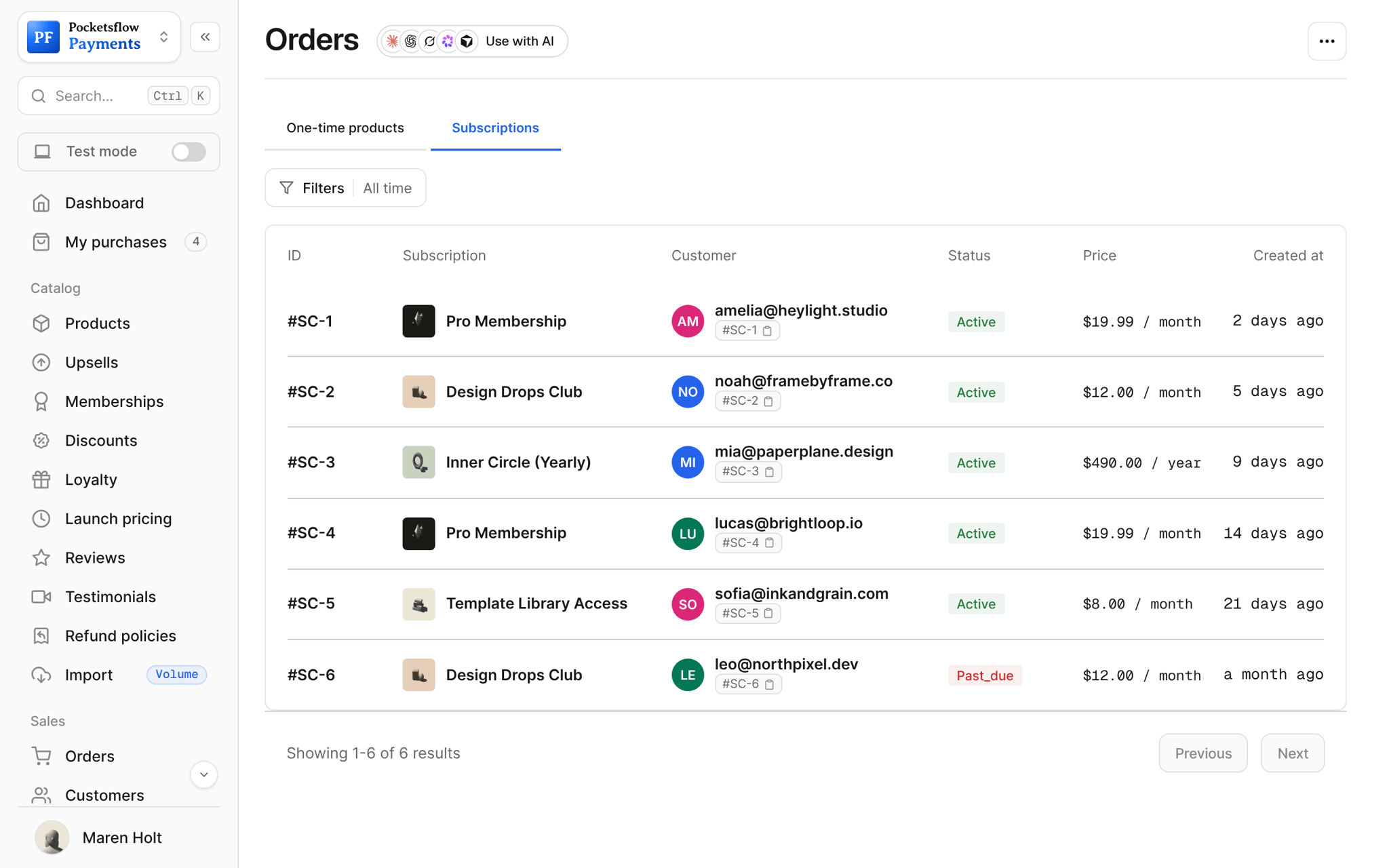
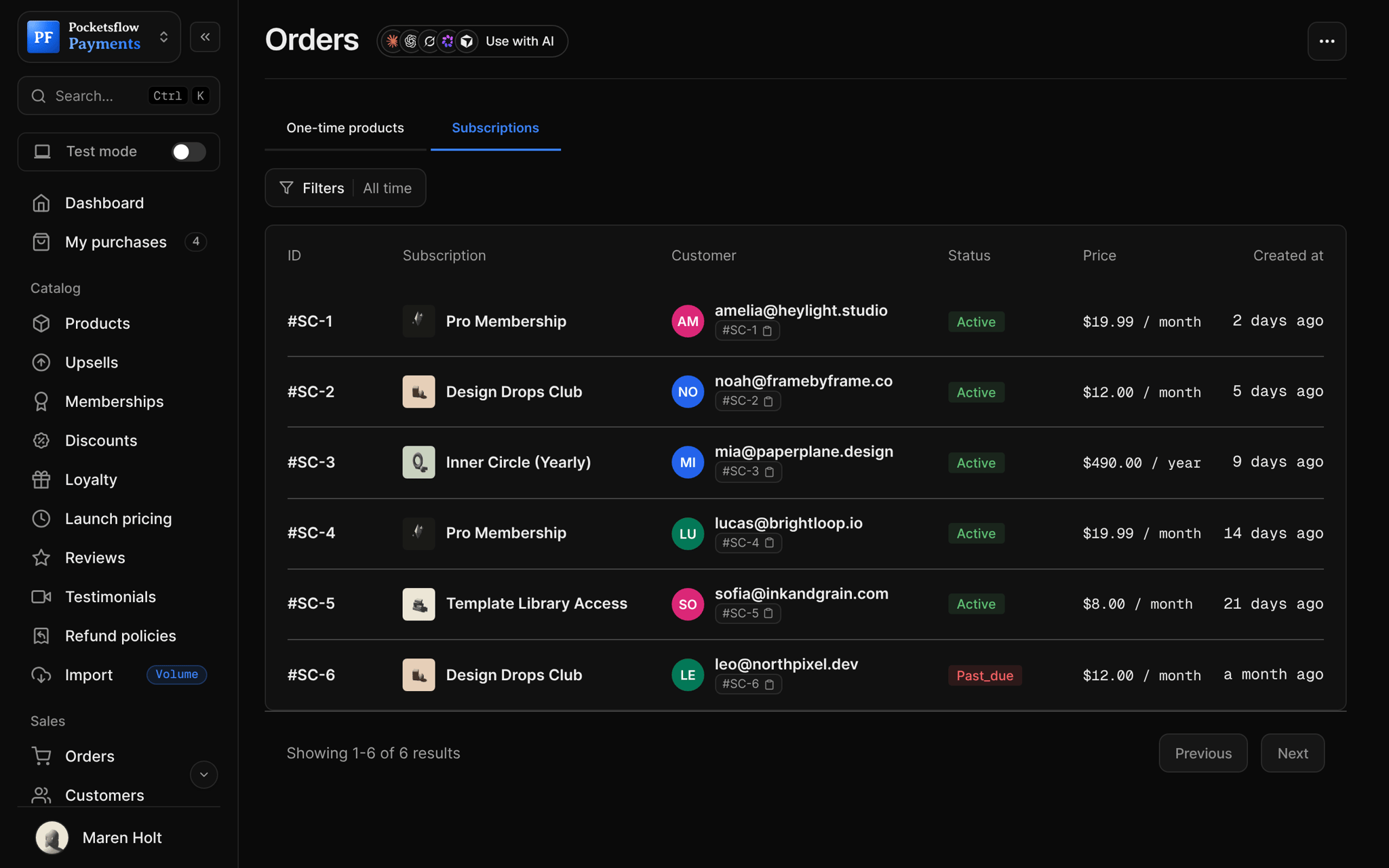
Pocketsflow orders: one time product orders with product, customer, total paid, and date.

One platform for payments.

Products, checkout, subscriptions, discounts, webhooks, and an MCP server share one account, one API key, and one dashboard. Start with a single product and add the rest when the business asks for it.

  1. Payments

    Cards, Apple Pay, Google Pay, PayPal, and bank transfers in supported regions. Buyers pay in their local currency.

  2. Subscriptions

    Weekly, monthly, or yearly plans with trials, pause and resume, and a self service portal.

  3. Checkout

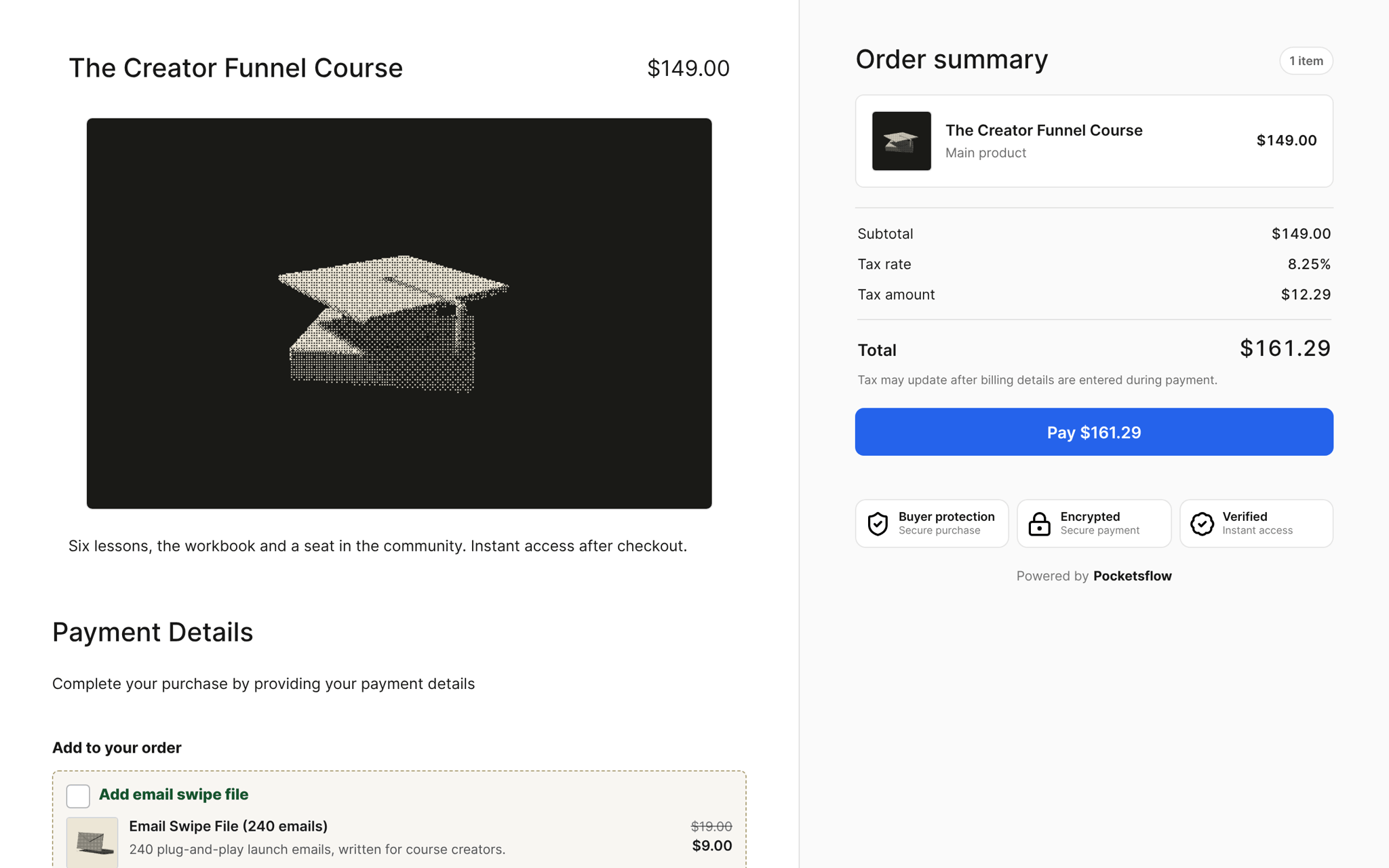
    Hosted checkout pages and embeds, created by hand or from one API call.

  4. Discounts and upsells

    Codes, launch discounts, and one click upsells on any product's checkout.

  5. Webhooks

    Signed events for orders, refunds, customers, products, and the subscription lifecycle.

  6. MCP

    53 tools that let Claude, Cursor, or any MCP client run the account with your API key.

Teach your agent how to run your business.

Set up one launch with Claude, Codex, or Cursor, save the process as a skill, then run it for the next one. MCP does the work; the AI guides you through it. This works well for recurring drops, plan changes, and refunds, where the rules stay mostly the same.

  1. 1 · ConnectAdd Pocketsflow to your agent
  2. 2 · AskDescribe the launch in plain language
  3. 3 · Run it againSave the process as a skill
import { Pocketsflow } from "pocketsflow";

const pf = new Pocketsflow({
  apiKey: process.env.POCKETSFLOW_API_KEY,
});

// A one time product. Use subscriptionOffers.create() for plans.
const product = await pf.products.create({
  name: "Pro license",
  price: 49,
});

// A hosted checkout for that product.
const session = await pf.checkout.create({
  productId: product._id,
  successUrl: "https://example.com/welcome",
  customerEmail: "buyer@example.com",
});

// Send the buyer to session.url. Payment, tax, and delivery
// are handled; order.completed fires to your webhook.
redirect(session.url);

Payments are an API call or an AI talk away.

Create a checkout, attach a product, and let Pocketsflow handle the transaction lifecycle: payment, tax, delivery, and the receipt.

Every resource is an HTTPS endpoint under one base URL with Bearer API keys. Live and test keys are scoped to their own data; the OpenAPI spec is served at /docs.json.

npm install pocketsflow

One request in. One webhook out.

Your product asks for a checkout session and receives a URL. Pocketsflow runs the hosted checkout, tax, fraud checks, and delivery. When the buyer pays, a signed order.completed event comes back to the endpoint you registered. It is the same loop for one time products and subscriptions.

# Create a hosted checkout session for an existing product.
curl https://api.pocketsflow.com/checkout/sessions \
  -H "Authorization: Bearer pk_live_..." \
  -H "Content-Type: application/json" \
  -d '{
    "productId": "664f1c2e9b1d4a3f8c2e7a10",
    "successUrl": "https://example.com/welcome",
    "customerEmail": "buyer@example.com"
  }'

# 201 Created
# { "id": "cs_...", "url": "https://yourstore.pocketsflow.com/checkout?..." }
// X-Pocketsflow-Event: order.completed
// X-Pocketsflow-Signature: hex HMAC-SHA256 of the raw body
{
  "product": { "id": "6949918ee8d99b0e628103e0", "variantId": null },
  "order": {
    "id": "6a43ce05fae6c4f0cb5a2193",
    "paymentIntentId": "pay_Qjy4o3JnPfhHfW"
  },
  "currency": "usd",
  "customer": {
    "email": "buyer@example.com",
    "firstName": "Jane",
    "lastName": "Buyer"
  },
  "amount": 4900,
  "amountBeforeTax": 4900,
  "paymentMethod": { "type": "card", "brand": "visa", "last4": "4242" },
  "metadata": {},
  "clientReferenceId": null
}

Every event, signed.

Orders, refunds, customers, products, and the whole subscription lifecycle post to your endpoint as JSON. Each delivery carries the event name in X-Pocketsflow-Event and a hex HMAC-SHA256 of the raw body in X-Pocketsflow-Signature, keyed with your endpoint's signing secret.

Register endpoints from the dashboard, the API, or the MCP create_webhook tool, and test them with test_webhook before going live.

import { createHmac, timingSafeEqual } from "node:crypto";

export async function POST(req: Request) {
  const raw = await req.text();
  const signature = req.headers.get("X-Pocketsflow-Signature") ?? "";
  const expected = createHmac("sha256", process.env.POCKETSFLOW_WEBHOOK_SECRET!)
    .update(raw)
    .digest("hex");

  if (!timingSafeEqual(Buffer.from(signature), Buffer.from(expected))) {
    return new Response("invalid signature", { status: 401 });
  }

  const event = req.headers.get("X-Pocketsflow-Event");
  const payload = JSON.parse(raw);

  switch (event) {
    case "order.completed":
      await grantAccess(payload.customer.email);
      break;
    case "customer.subscription.deleted":
      await revokeAccess(payload.customer.email);
      break;
  }

  return new Response("ok");
}
order.completedA payment succeeded and a one time order is complete.
order.refundedAn order was refunded, fully or partially.
customer.createdA new customer record was created.
product.createdA product was created.
product.updatedA product was modified.
product.deletedA product was deleted.
review.createdA buyer left a product review.
customer.subscription.createdA subscription activated. Fires once.
customer.subscription.updatedA subscription changed after activation.
customer.subscription.pausePayment collection stopped; the buyer keeps access.
customer.subscription.resumedA pause was lifted or a scheduled cancel reversed.
customer.subscription.trial_will_endA trial is about to end.
customer.subscription.deletedA subscription was cancelled or ended.
invoice.createdA subscription charge was opened.
invoice.upcomingA renewal is due in 3 days.
invoice.payment_succeededA subscription charge succeeded, first charge or renewal.
invoice.payment_failedA subscription payment failed; the subscriber moves to past_due.
payment_intent.succeededThe initial subscription payment succeeded.
payment_intent.payment_failedA subscription charge failed.

Hand the agent one key.

The hosted MCP server maps the public API to tools with the same JSON shapes, so an agent can create a product, set a discount, open a checkout, issue a refund, or wire a webhook without you writing glue code. You review the result in the dashboard like any other change.

Server
https://api.pocketsflow.com/mcp
Transport
HTTP · Authorization: Bearer pk_live_… / pk_test_…
Tools
53: products, checkout, orders, customers, subscriptions, refunds, discounts, upsells, webhooks, newsletters, partners
Clients
Claude, Claude Code, Cursor, VS Code, any MCP client; npx @pocketsflow/mcp for stdio only clients
Scope
Everything the key can do, nothing more; live and test data never mix
{
  "mcpServers": {
    "pocketsflow": {
      "url": "https://api.pocketsflow.com/mcp",
      "headers": { "Authorization": "Bearer pk_live_..." }
    }
  }
}
› Create a $49 one time product called Pro license with a 20% launch discount, then give me the checkout link.

create_product           { "name": "Pro license", "price": 49 }
create_discount          { "code": "LAUNCH20", "value": 20, "valueType": "percentage" }
create_checkout_session  { "productId": "664f1c2e…", "discountCode": "LAUNCH20" }

→ https://yourstore.pocketsflow.com/checkout?productId=664f1c2e…&discount=LAUNCH20
no glue code

It's easy. Even your AI can do it.

Connect the MCP server, hand your agent an API key, and ask. Three tool calls later there is a product, a launch discount, and a checkout link, and every change is waiting for your review in the dashboard.

Create a $49 one time product called Pro license with a 20% launch discount, then give me the checkout link.

Infrastructure that is already in production.

people used Pocketsflow
65K+
different countries
160+
processed total
$70M+
started last week
2400+

Security and compliance, built in.

Pocketsflow is PCI DSS compliant and never stores raw card numbers. Payment data is tokenized and traffic uses TLS 1.2 or higher, with 3D Secure when required. Sensitive data is encrypted at rest and in transit, access is least privilege and reviewed quarterly, and the platform is covered by annual third party penetration testing, automated vulnerability scanning, and intrusion detection.

More about security

One fee. Itemized on every order.

There is nothing to subscribe to. Each sale carries one estimated transaction cost, and every order shows exactly how it breaks down.

4.7% + $0.30

estimated cost per sale · no monthly fee

  1. No monthly fee, no setup fee. You pay when you sell.
  2. One transaction cost, itemized on every order: platform, payment infrastructure, tax handling when required, dispute prevention.
  3. Above $10,000 USD per month in sales, contact us for reduced fees.
$5.00on a $100.00 sale
$47.30on a $1,000.00 sale

Common questions

What are Pocketsflow's fees?

There is no monthly or setup fee for selling digital products. Each sale has one transparent transaction cost made up of the Pocketsflow platform, payment infrastructure fee, tax handling when required, and dispute prevention. The estimated total is $5.00 on a $100 transaction and $47.30 on a $1,000 transaction. The exact amount can vary by payment method, buyer region, and currency, and is itemized on every order.

What is a Merchant of Record?

A Merchant of Record (MoR) is the legal entity that processes payments and assumes liability for transactions. As your MoR, Pocketsflow handles payment processing, tax compliance, fraud prevention, chargebacks, and legal obligations, so you don't have to set up your own payment infrastructure or worry about international tax laws.

What payment methods does Pocketsflow support?

Pocketsflow supports credit and debit cards (Visa, Mastercard, American Express), PayPal, Apple Pay, Google Pay, and bank transfers in supported regions. We're constantly adding new payment methods to maximize conversion for your customers.

Can I sell in multiple currencies?

Yes. Choose one account currency during onboarding or anytime in Settings: USD, EUR, GBP, INR, and 20+ more. Checkout charges buyers in their local currency by default (converted from your account currency); you can turn that off to always charge in your account currency.

How does MCP work?

Pocketsflow exposes a hosted MCP server so Claude, Cursor, and any Model Context Protocol client can manage products, checkout, orders, refunds, discounts, and webhooks with your API key. Every action is scoped to that key's live or test mode and shows up in your dashboard.

Is there a limit on how many products I can sell?

No. You can list unlimited products on Pocketsflow with no restrictions on file sizes, number of sales, or revenue. There are also no limits on upsells, discount codes, or product pages.

Start accepting payments today.

Start accepting payments without building the infrastructure around them.